
Describe your dashboard. Get a Tableau file.
cwtwb generates production-ready .twb and .twbx files from natural language. A guided step-by-step process - data source, chart layout, style - so there are no surprises. Files open directly in Tableau Desktop.
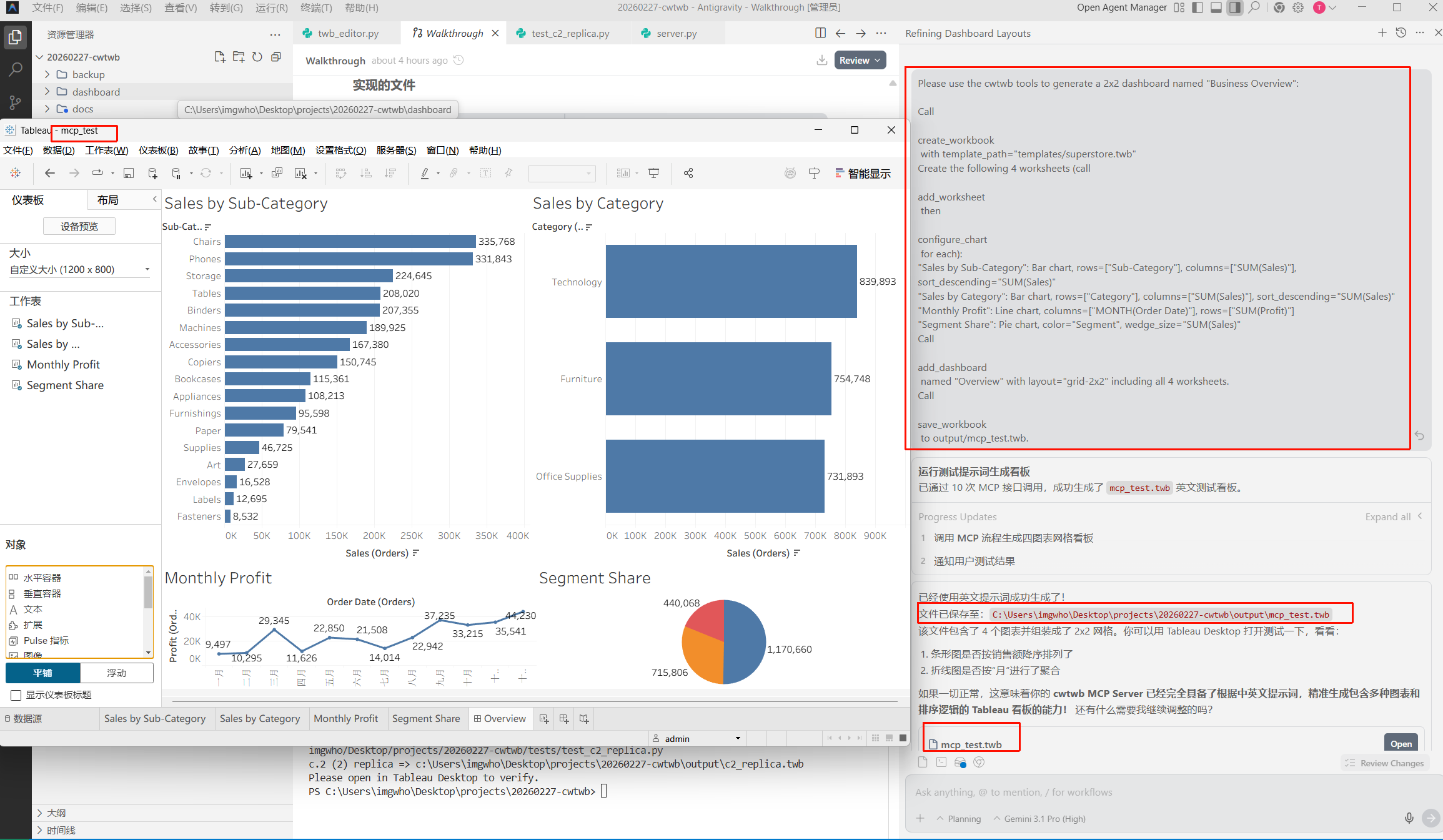
Quick Start
Run pip install cwtwb, configure the MCP server, then describe your dashboard.
Core Capabilities
Capability Matrix
| Feature | cwtwb (Deterministic) | Tableau Pulse / Ask Data | Advantages |
|---|---|---|---|
| Output | Complete .twb/.twbx files, ready to open | Temporary chart screenshots only | Tableau Pulse generates insight graphics for viewing. cwtwb generates files for distributing - publish to server, share via intranet, or version-control. |
| Layout control | Full control (size, position, nesting) | None (fixed auto-layout) | Match exact client requirements for sizing, colors, and positioning - not possible with Pulse's fixed templates. |
| Automation | Yes (API + CLI) | No (UI only) | Generate dashboards from scripts, deploy them in bulk, integrate with your existing pipelines. |
Datacooper
Complete .twb/.twbx files, ready to open
Official AI
Temporary chart screenshots only
Tableau Pulse generates insight graphics for viewing. cwtwb generates files for distributing - publish to server, share via intranet, or version-control.
Datacooper
Full control (size, position, nesting)
Official AI
None (fixed auto-layout)
Match exact client requirements for sizing, colors, and positioning - not possible with Pulse's fixed templates.
Datacooper
Yes (API + CLI)
Official AI
No (UI only)
Generate dashboards from scripts, deploy them in bulk, integrate with your existing pipelines.
FAQ
Do I need to know Tableau to use cwtwb?
No. You describe what you want in plain language and cwtwb handles the Tableau-specific file structure. Knowing basic Tableau concepts like dimensions, measures, and mark types still helps you write better prompts.
How is this different from asking ChatGPT to write a TWB file directly?
Generic LLM output often produces XML that looks plausible but fails in Tableau because the file format has many undocumented constraints. cwtwb uses a purpose-built engine and validates files before delivery.
Which AI models are supported?
Any model that supports MCP tool calls can work, including Claude, ChatGPT through an MCP bridge, Gemini, and DeepSeek. cwtwb is model-agnostic by design.
Will the layouts display correctly in Tableau Desktop?
Yes. cwtwb computes layout structure and positioning explicitly, so dashboards open in Tableau Desktop as intended instead of relying on approximate XML generation.
Can I use my company brand colors?
Yes. You can define brand colors and styling once in your recipe or prompt conventions, and cwtwb applies them consistently across generated dashboards.
What happens if my data source changes?
cwtwb can remap field references from old names to new ones and update the workbook automatically, so you do not need to rebuild the dashboard from scratch.
Core features open source (AGPL-3.0) · Advanced features & deployment on request
Contact Us